
Disclaimer: I have teamed up with Guardzilla in support of this campaign. We received compensation for participation in this campaign. However, all thoughts and opinions are my own.
Recently my close friend’s house was broken into. The experience was painful for my friend and our whole community. We have one of the lowest crime rates in the state, so it came as a shock to hear that their family was violated in this way. After having your security violated it can leave you feeling afraid to leave your own home. It’s important to protect our families and our security from being violated, but sometimes it’s hard to know how far to go in trying to secure our homes. Home security systems can be pricey and a big investment.
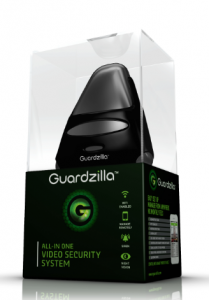 There is a new affordable option for home security on the market, Guardzilla. Gurdzilla provides live video monitoring and captures and sends images to users’ smartphones. It features a modern, sleek design, which blends into the environment providing discreet surveillance and infrared night vision that rivals the best night vision goggles on the market today. Guardzilla uses siren deterrent and motion sensing technology, which alerts owners when there is movement in unauthorized areas with pet immunity preventing your pets from triggering false alarms. Its 2-way audio allows users to talk remotely with someone in the area Guardzilla is located.
When the user leaves their home, the Guardzilla uses geofencing and it disarms when user returns. Multiple phones (Android and iOS compatible compatible) can access the same Guardzilla device, which makes Guardzilla ideal for roommates (in dorms, apartments and houses), husbands and wives, and children coming home from school. The best part is that you can purchase Guardzilla for under $100 and it comes with a 1 year warranty making your home security affordable.
Setting up your Guardzilla system is done in just four steps:
1. Plug in the Guardzilla device
2. Download the Guardzilla App to your smartphone
3. Connect the Guardzilla to your personal Wi-Fi and personalize how and when the users would like to be notified (email/text alerts with customizable push notifications, including alerting authorities)
4. Place on a shelf or table in the desired area
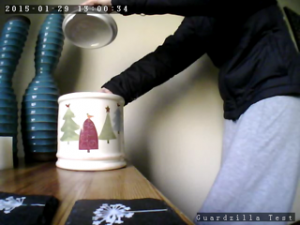
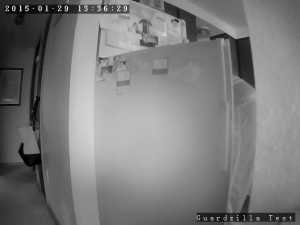
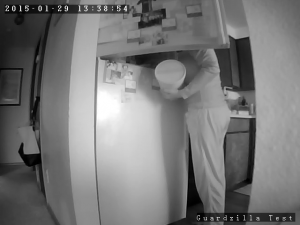
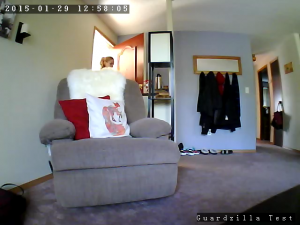
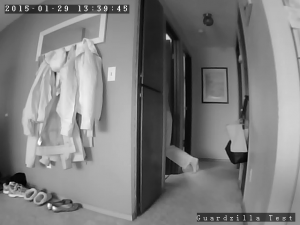
Here’s who and what I “Caught in the act” with my Guardzilla:
For More Information on Guardzilla and a chance to win one!
Click here for the Guardzilla website.
Click here for Facebook
Click here to try your luck at winning your very own Guardzilla AND a Samsung Galaxy S5! *through February 13
Click here for Twitter
Click here to purchase (exclusively at Best Buy Stores nationwide)